How to speed up or slow down a YouTube video?
Quick answer
YouTube only lets you speed up a video to 2x, and slow it down to 0.25x. With the free TubeSpeed extension, pick any speed between 0.1x and 16x: type a number, drag the slider or click a marker (0.4x, 1x, 4x, 8x…). The speed applies to all your videos and Shorts, and one click on “Reset to 1x” brings back normal speed.
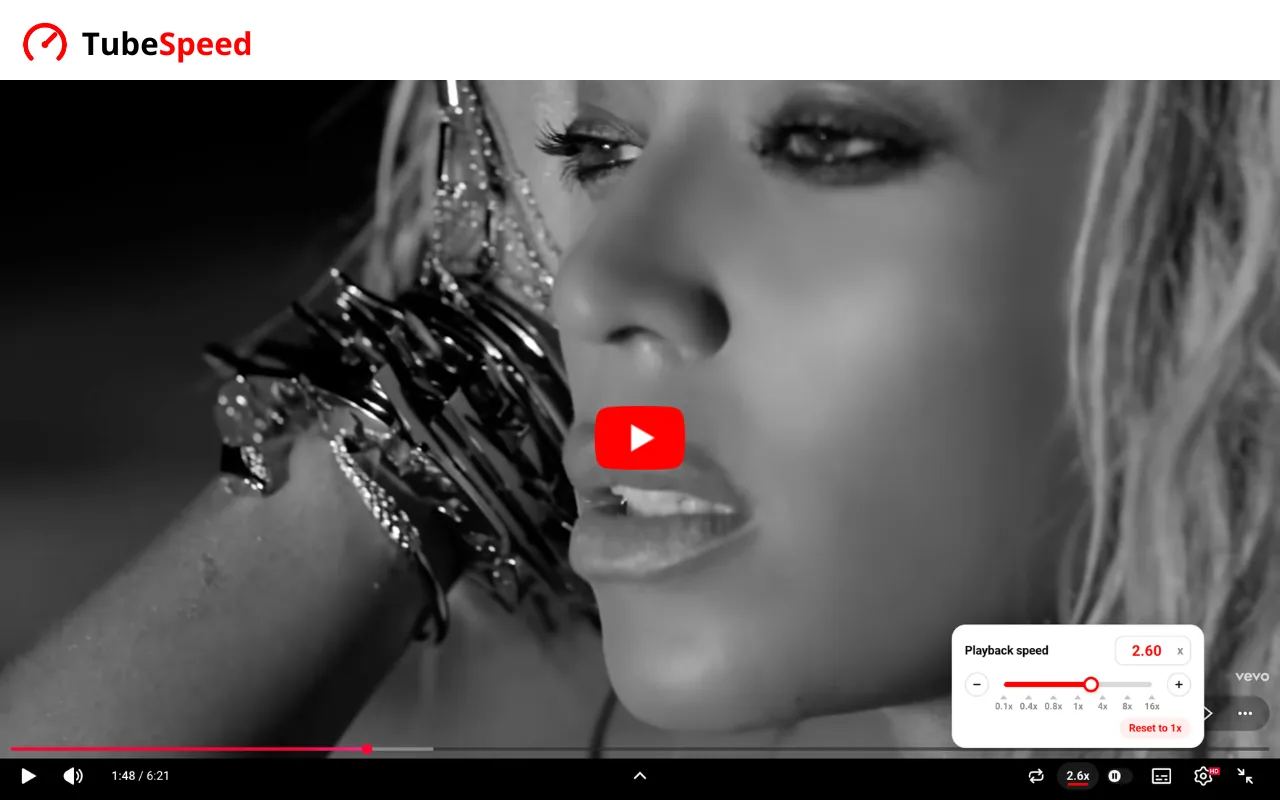
What TubeSpeed does
- From 0.1x to 16xFar beyond YouTube’s 2x: type the exact speed you want, down to the hundredth.
- Right in the videoA “2.6x” button appears in the player: hover it to change the speed without leaving the video.
- For all your videosYour speed stays on for every video and Short, but never during ads.
Speeds in one click
Click a marker to jump straight to that speed, or use − and + to move by 0.1 (hold the button to go faster).
Why TubeSpeed
- 100% freeEvery speed, no account and no subscription.
- PreciseTo the hundredth, from 0.1x to 16x, where YouTube offers a few steps up to 2x.
- Always in syncThe popup and the player show the same setting, and if you change the speed in YouTube’s menu, TubeSpeed keeps it.
Explore more
- How to see your YouTube Recap (watch time, top creators…)
- How to see your time spent on YouTube
- 🇫🇷 Top 10 YouTubers in France
Frequently asked questions
In YouTube, click the gear icon in the player, then the playback speed: you can go up to 2x. To go faster, install the free TubeSpeed extension and pick any speed up to 16x.
YouTube stops at 2x. With TubeSpeed, just type 3 (or 4, 8, 16…) in the popup or in the player panel: the video switches to that speed right away.
YouTube goes down to 0.25x. TubeSpeed goes down to 0.1x, handy for learning a dance, a song or a precise move.
Shift + > speeds up and Shift + < slows down. TubeSpeed keeps the speed you pick this way.
Yes. The speed you choose in TubeSpeed applies to regular videos and Shorts alike.
Open TubeSpeed and click “Reset to 1x”: the video goes back to normal speed.
Yes. Every speed is free, no account needed.
TubeSpeed works on desktop browsers that use the Chrome Web Store: Google Chrome, Microsoft Edge, Brave and Opera. It is not available on phones.
YouTube doesn’t show your own watching stats. TubeWrapped, from the same team, shows your watch time, top creators and viewing habits all year: see how to see your YouTube stats.
Yes, with TubeWrapped: it ranks the creators you watch the most, by time and by number of videos. See how to see your favorite YouTube creators.
TubeWrapped shows your YouTube watch time by day, week, month and year. See how to see your YouTube watch time.