How to loop a part of a YouTube video?
Quick answer
YouTube can only loop the whole video. With the free TubeLoop extension, create a loop on the part you want: place the two handles of “Loop a part” on the start and end of the moment, and TubeLoop replays it endlessly, to the second. Set your loop from the popup or right in the video.
What TubeLoop does
- A loop on the part you wantPick the start and end of a moment (a chorus, a solo, a move to learn) and it repeats forever.
- Set it in the videoHover the loop icon in the player: a panel sets your loop without leaving the video.
- Or the whole videoLeave the handles at both ends and the whole video restarts every time it ends, on its own.
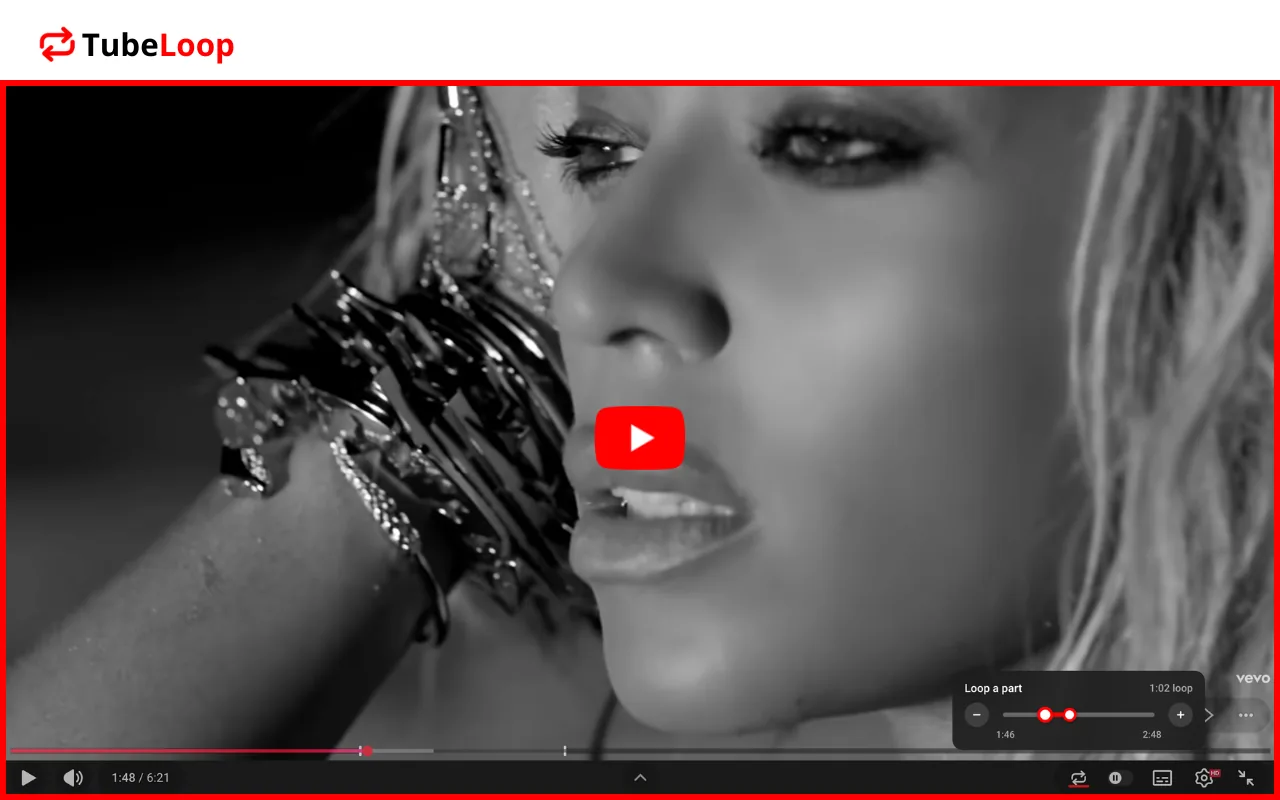
Your loop at a glance
On YouTube’s progress bar, the looped part stays bright and the rest is dimmed. The − and + buttons move the selected handle by 10% of the video; drag it to be precise to the second.
Why TubeLoop
- 100% freeLooping and looped parts are free, no account and no subscription.
- To the secondSet the start and end of the part exactly where you want.
- Always in syncThe popup and the player button share the same setting: change it on one side, the other follows.
Explore more
- How to see your YouTube Recap (watch time, top creators…)
- How to see your YouTube stats
- 🇹🇷 Top 10 YouTubers in Turkey
Frequently asked questions
YouTube can’t loop just a part. With the free TubeLoop extension, place the two handles of “Loop a part” on the start and end of the moment: only that part repeats.
In TubeLoop, drag the handles to set the start and end to the second, or use − and + to move them faster. The length of your loop shows at the top right.
On a computer, right-click the video and choose the loop option: you have to do it again for every video. With TubeLoop set to ON, all your videos restart automatically.
In the YouTube app, tap the gear icon on the video, open the additional settings and turn on the loop option. TubeLoop works on computers.
Click the loop icon in the player, or switch TubeLoop to OFF in the popup.
No. TubeLoop never touches ads: only the video loops.
Yes. Hover the loop icon in the player: a panel opens with the same “Loop a part” setting as the popup.
Yes. Every feature is free, no account needed.
TubeLoop works on desktop browsers that use the Chrome Web Store: Google Chrome, Microsoft Edge, Brave and Opera. It is not available on phones.
YouTube doesn’t show your own watching stats. TubeWrapped, from the same team, shows your watch time, top creators and viewing habits all year: see how to see your YouTube stats.
Yes, with TubeWrapped: it ranks the creators you watch the most, by time and by number of videos. See how to see your favorite YouTube creators.
TubeWrapped shows your YouTube watch time by day, week, month and year. See how to see your YouTube watch time.