How to change YouTube’s theme and colors
Quick answer
YouTube only lets you pick light or dark mode. To really change its colors, install the free TubeTheme extension, open YouTube and pick one of 7 themes — Beach, Purple, Ocean, Green, Pink, Sunset or Amoled — or create your own. The new colors apply instantly, and one click brings back the original YouTube.
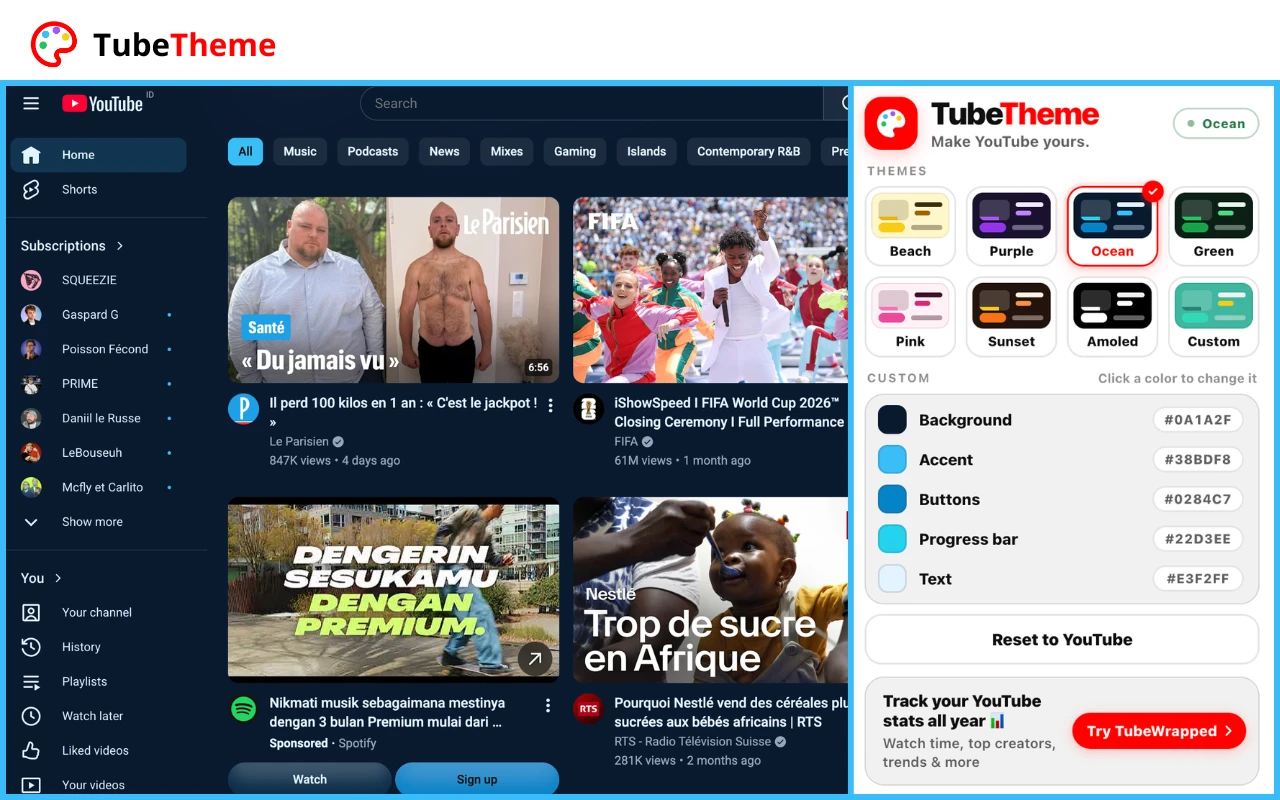
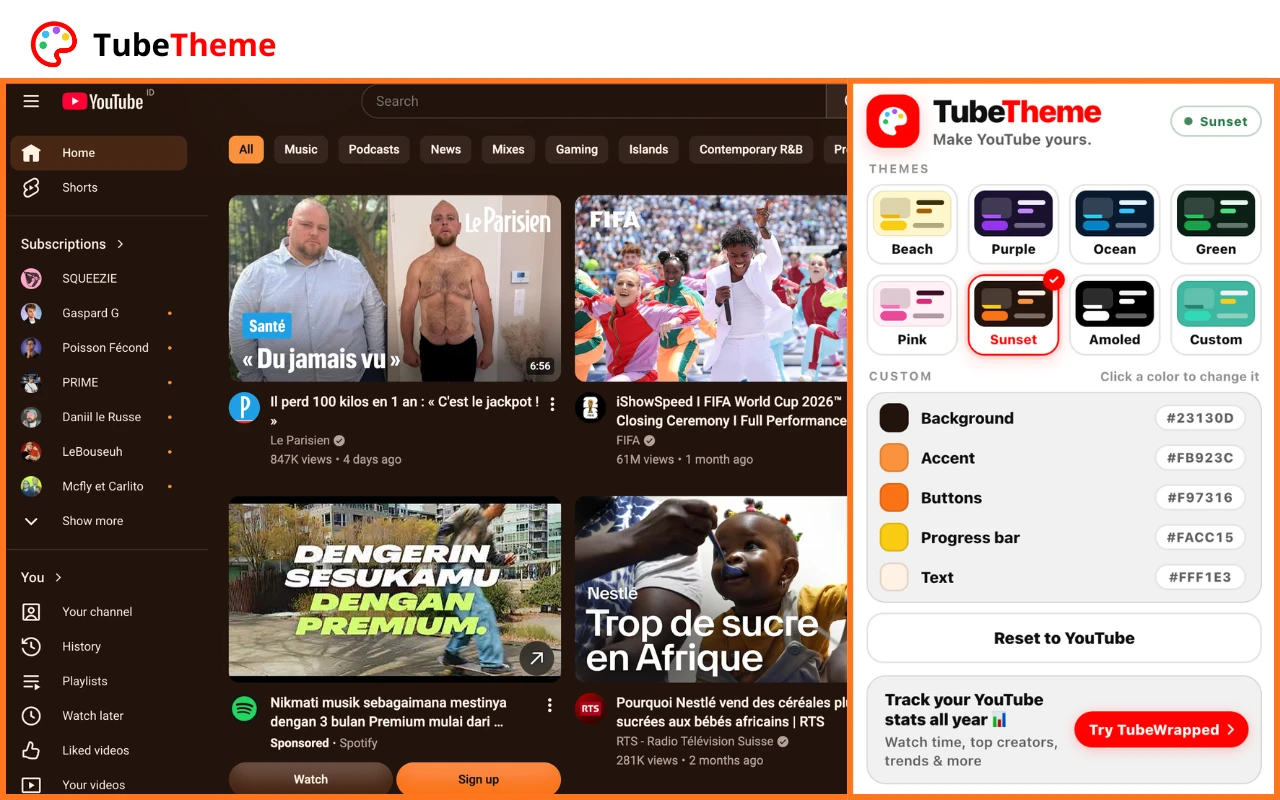
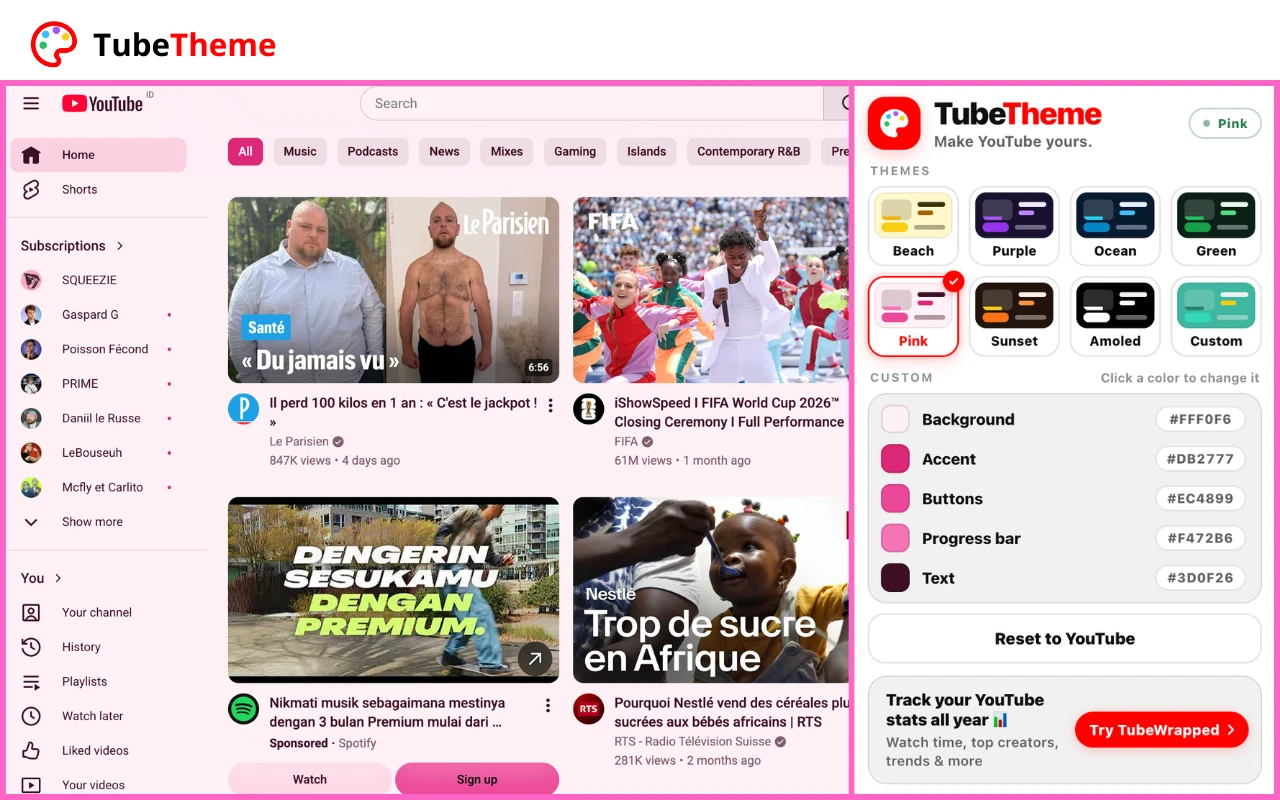
7 themes ready to use
Pick a theme and YouTube changes instantly. Prefer your own palette? Tap Custom and choose every color.
- Beach
- Purple
- Ocean
- Green
- Pink
- Sunset
- Amoled
- +Custom
Why TubeTheme
- 100% freeEvery theme and every custom color is free. No account, no subscription.
- InstantColors change as soon as you pick them, without reloading YouTube.
- Everywhere on YouTubeHome, videos, Shorts, search and channels follow your theme.
Explore more
- How to see your YouTube Recap (watch time, top creators…)
- How to see your favorite YouTube creators
- 🇩🇪 Top 10 YouTubers in Germany
Frequently asked questions
YouTube itself only offers light and dark mode. To use other colors, install the free TubeTheme extension, open YouTube, click TubeTheme in your extensions and pick a theme — or your own colors.
Install TubeTheme, open it on YouTube and choose the Pink theme: soft pink background, pink buttons and a pink progress bar. You can fine-tune each color in Custom.
Choose the Amoled theme in TubeTheme. It turns the YouTube background pure black, which also looks great on OLED screens.
Pick the Ocean theme in TubeTheme for a dark blue YouTube with light blue buttons. For another shade of blue, tap Custom and choose your own colors.
Yes. In TubeTheme, tap Custom, then click Progress bar and choose any color. The red bar under videos takes your color instantly.
Open TubeTheme, tap Custom and click Background. You can also pick a ready-made theme like Beach, Purple, Green or Sunset.
Open TubeTheme and click “Reset to YouTube”. The original colors come back instantly.
Yes. All 7 themes and the custom colors are free, with no account needed.
TubeTheme works on computer browsers that use the Chrome Web Store: Google Chrome, Microsoft Edge, Brave and Opera. It is not available on phones.
YouTube doesn’t show your own watching stats. TubeWrapped, from the same team, shows your watch time, top creators and viewing habits all year: see how to see your YouTube stats.
Yes, with TubeWrapped: it ranks the creators you watch the most, by time and by number of videos. See how to see your favorite YouTube creators.
TubeWrapped shows your YouTube watch time by day, week, month and year. See how to see your YouTube watch time.